If you cannot debug your code with a single process, you eventually have to deal with multiple MPI processes.
A traditional approach is to launch each process in a separate xterm window. Doing so requires a working X11 setup. On macOS, this means installing XQuartz, since no native X11 server is provided. The DISPLAY environment variable must also be set correctly. On remote systems, this typically involves enabling X11 forwarding over SSH.
Beyond the setup overhead, xterm is simply unpleasant to use: the default font size is often too small to read, as illustrated below.
For these reasons, I am not fond of this approach. Still, for the sake of completeness, this post assumes that X11 is properly configured and that xterm can be launched on the machine where your code runs.
As a concrete example, consider debugging a test program ex2 with four MPI processes:
$ mpiexec -n 4 xterm -hold -e gdb --args ./ex2 -mat_type aij
This command launches four xterm windows—one per process—which may initially overlap and need to be arranged manually.
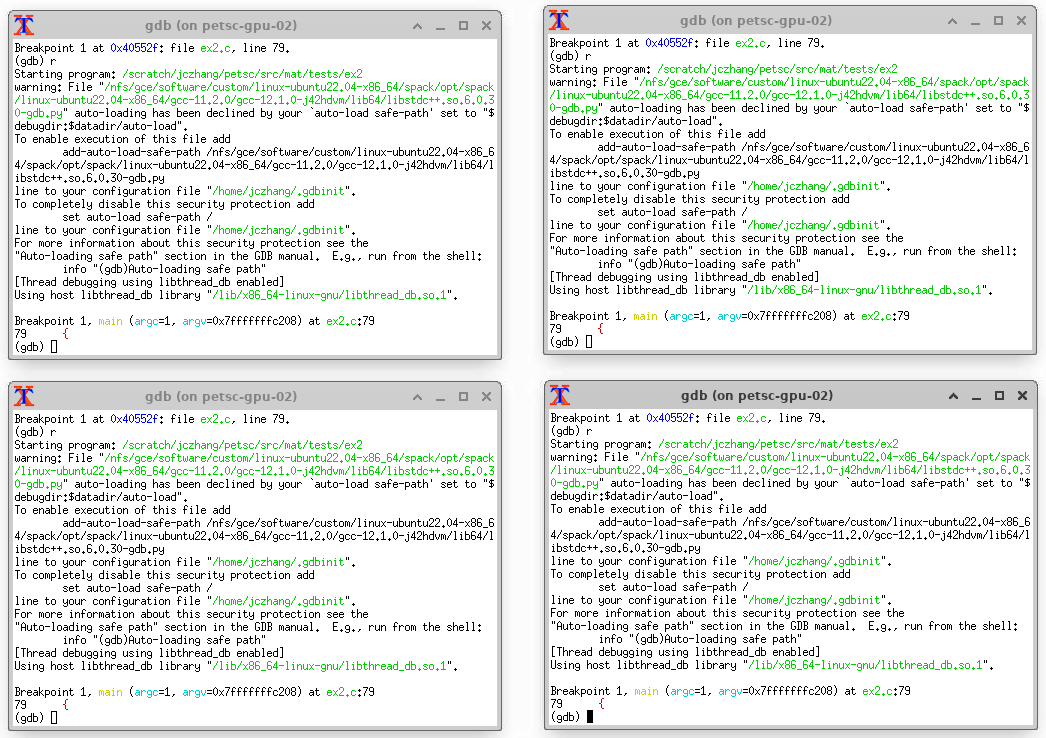
Here, -hold and -e are xterm options:
-hold: keep the window open after the command exits-e: run the specified program (gdb) inside the window
The --args option belongs to gdb and allows program arguments (such as -mat_type aij) to be passed directly on the command line.
Once the windows are open, each MPI process must be controlled through its own gdb session. This quickly becomes tedious. If you do not care about a particular process, you can simply type continue (or c) in its window and let it run unattended.